
Price calendar
How the Price Calendar works
The Price Calendar section is where discounts or increases for all short-term reservations in all spots can be set on a one-time or recurring basis.
These price adjustments affect all short-term reservations, including subleases.
These discounts and increases affect the prices shown in the app when booking short-term parking. Parkers will be shown that either a discount or premium is in place.
On the price calendar, discount periods are shown in blue and increased periods are shown in orange.
If you have any questions about creating a price adjustment, reach out to us at hello@parkade.com
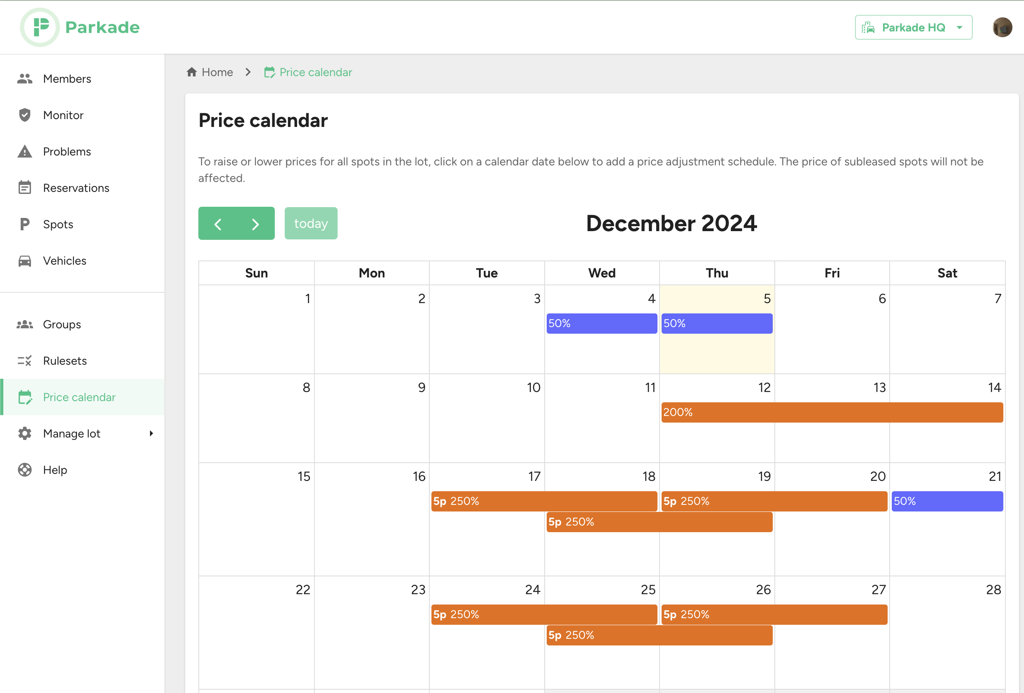
Adding and editing a price adjustment
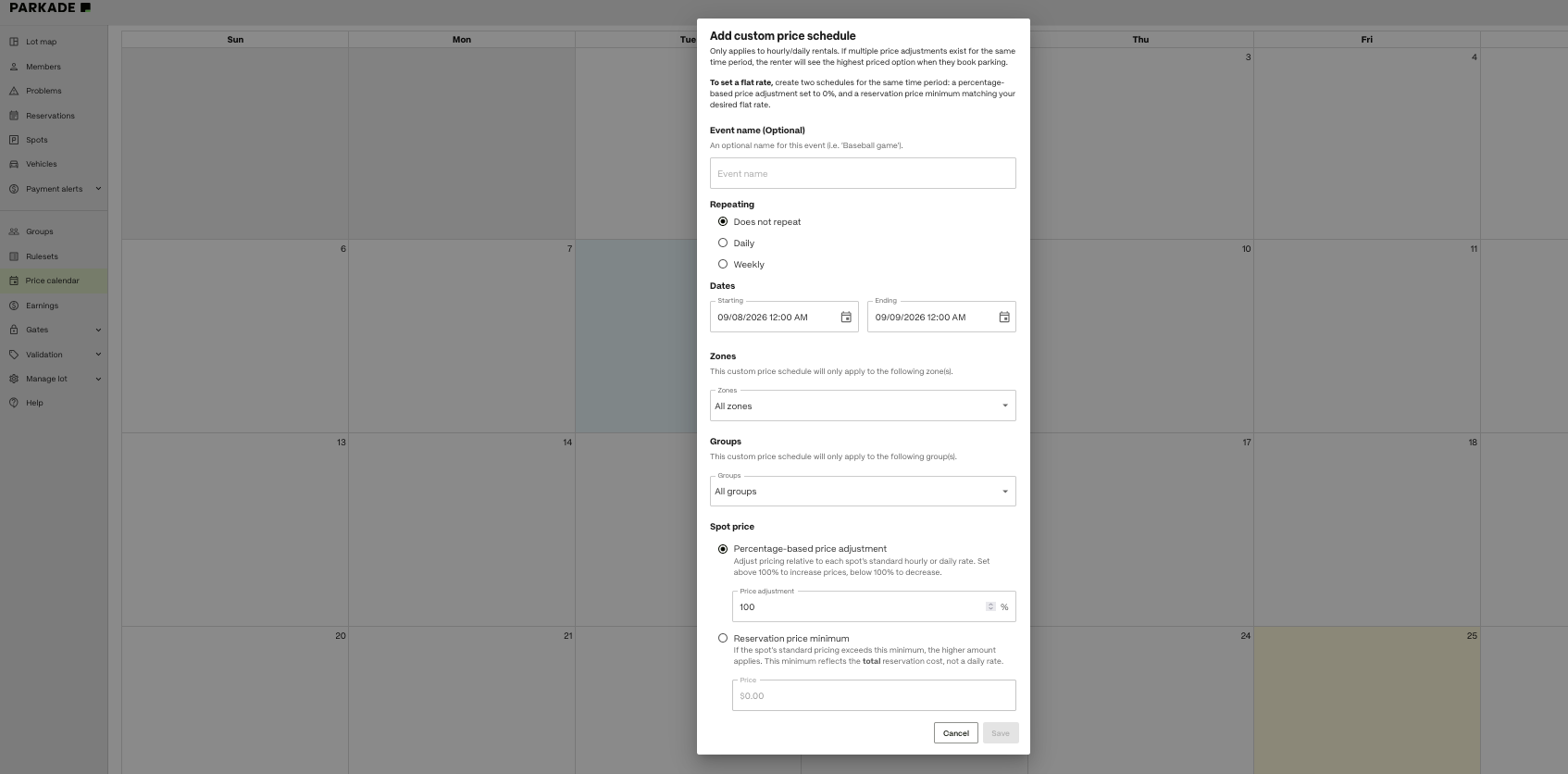
To add a price adjustment:
Click the day you want the adjustment to be on or to start on.
Optionally, name the adjustment, such as if it's for an event.
Choose whether the adjustment will repeat or not.
Does not repeat: The adjustment will be one-time, and won’t repeat.
Choose the start date and time.
Choose the end date and time.
Daily: The adjustment will repeat every day for the selected times.
Choose the start time.
Choose the end time. Select if the end time is on the same day or the next day.
Choose the start day.
Choose the end day, or leave the “No end date” box checked for it to repeat indefinitely.
Weekly: The adjustment will repeat weekly on the selected days. This allows you to set an adjustment that only repeats on certain days of the week.
Choose the days of the week you want the adjustment to repeat on.
Choose the start time.
Choose the end time. Select if the end time is on the same day or the next day.
Choose the start day.
Choose the end day, or leave the “No end date” box checked for it to repeat indefinitely.
Select zones if you want it to only apply to certain zones.
By default, the price adjustment will apply to all zones.
If the adjustment should only happen for spots in certain zones, click the drop-down menu, and then deselect the zones that it shouldn’t apply to.
Select groups if you want it to only apply to certain groups.
By default, all groups are selected.
If the adjustment should only apply to members in certain groups, click the drop-down menu, and depending on how many groups it should apply to:
Deselect “All Groups,” then select the groups it should apply to.
Or, just deselect the groups it shouldn’t apply to.
Choose if it should be a percentage-based price adjustment or a reservation price minimum (see below).
To edit or delete a price adjustment, click on an existing adjustment and make changes.
Percentage-based price adjustments
Percentage-based price adjustments are based on percentages of the standard price, which is 100%.
For example, setting a price adjustment to 200% will double the standard price, and setting it to 50% will halve the standard price.
If there are multiple adjustments in place at the same time, only the higher of the adjustments will affect prices.
Reservation price minimum
A reservation price minimum sets the minimum price that any reservation will be.
If a spot’s standard pricing would end up being more than the price minimum for a reservation, the higher amount is what’s charged.
Setting a flat rate
If you want to set a flat rate for parkers to pay during a time period, so that they all pay the same amount, regardless of how long the reservation is, create two schedules for the same time period:
A percentage-based price adjustment set to 0%.
A reservation price minimum matching your desired flat rate.